Why Does 5-Axis Machining Setup Cost 5X More Than 3-Axis: What Are You Actually Paying For?
Why Does 5-Axis Machining Setup Cost 5X More Than 3-Axis: What Are You Actually Paying For?

You just opened a machining quote. The part looks straightforward enough. Then you see the setup fee — and it's five times what you normally pay for 3-axis work. Your first reaction is probably: "Is this shop ripping me off?"
You're not alone. This is one of the most common questions buyers ask when they first encounter 5 axis machining setup cost. And it's a completely fair question.
Here's the short answer: No, you're not being overcharged. A proper 5-axis setup takes 5–10 hours of skilled engineering work. A 3-axis setup takes 1–2 hours. The math explains the price. But the reason behind those hours? That's what this article breaks down — completely and honestly.
In the sections below, you'll get a transparent look at every step that drives up 5-axis setup costs. You'll also learn when that cost is worth it, when it isn't, and exactly what questions to ask your supplier before signing a purchase order.
Table of Contents
- Why Does Your First 5-Axis Quote Look So Expensive?
- How Much Does a Standard 3-Axis Setup Actually Cost — And Why?
- What Makes 5-Axis Setup Completely Different From 3-Axis?
- Where Do the Hours Actually Go in a 5-Axis Setup?
- What Do You Actually Get for That 5-Axis Setup Fee?
- When Does 5-Axis Setup Cost Make Sense — And When Does It Not?
- What Questions Should You Ask Your 5-Axis Supplier About Setup Fees?
- FAQ
- Conclusion
Why Does Your First 5-Axis Quote Look So Expensive?
Most buyers come to 5-axis machining after years of working with 3-axis shops. They know roughly what setup should cost. So when a high precision machining quote arrives with a setup line item that's 3X, 5X, or even 8X what they expected — the instinct is to push back.
The sticker shock is real. But it's not a red flag — it's a signal.
"A low setup fee on a 5-axis job isn't a bargain. It's a warning that someone is skipping steps." — Common consensus among experienced CNC machinists
Here's what that price difference actually reflects:
- More axes = exponentially more variables to verify
- Rotary motion introduces errors that don't exist in linear-only machines
- Every angular position must be proven accurate before cutting starts
- Calibration data must be documented and certified
A 3-axis machine moves in X, Y, and Z. The geometry is simple. A 5-axis machine adds two rotational axes — and every rotation changes where the tool is in space. That requires a completely different class of setup work. The fee you're seeing is the cost of that verification.
Think of it this way. When you fly on a commercial aircraft, you're paying for the hours the ground crew spends checking every system before takeoff — not just the fuel. The 5 axis CNC machining cost works the same way. Most of what you're paying for happens before the spindle ever touches your material.
For a full overview of what professional CNC machining services involve — including 3-axis and 5-axis capabilities — it helps to understand the full scope of work behind each operation.
How Much Does a Standard 3-Axis Setup Actually Cost — And Why?
To understand why 5-axis costs more, you first need a clear baseline. So let's look at what a standard 3-axis setup actually involves.
A typical 3-axis setup is a well-understood, repeatable process. Most experienced machinists can complete it in 1 to 2 hours. It involves three main steps: workholding, tool offsets, and edge finding.
Here's what a standard 3-axis setup includes:
- Workholding: Clamping or fixturing the part so it doesn't move during cutting
- Tool length offsets: Measuring each cutting tool so the machine knows where the tip is
- Edge finding / datum setting: Probing the part to establish X, Y, and Z zero points
That's it. Once those three things are done, the machine knows where the part is and where each tool is. It can cut accurately. The precision machining setup time for this process is predictable and low.
Why doesn't 3-axis need kinematic calibration?
Because a 3-axis machine only moves in straight lines — X, Y, and Z. These axes are independent. If X is accurate and Y is accurate, their intersection is accurate. There's no rotational geometry to verify. The machine's accuracy comes from its linear scales and ball screws — which are calibrated at the factory and verified periodically with a ballbar or laser. No special per-job calibration is required.

This simplicity is a genuine advantage for the right parts. When you're cutting flat features, pockets, and holes on a single face — 3-axis is fast, proven, and cost-effective. The custom CNC milling services used for these parts are highly refined after decades of industry use.
However, the moment your part has features on multiple faces, compound angles, or tight positional tolerances across surfaces — the 3-axis simplicity becomes a limitation. And that's exactly where the 5-axis setup process earns its cost.
What Makes 5-Axis Setup Completely Different From 3-Axis?
Here's the core concept most buyers miss: 5-axis setup isn't "3-axis setup plus a little extra." It's an entirely different category of work.
The reason comes down to one fundamental problem: rotary axes are physically imperfect.
Every 5-axis machine has two rotary axes — typically called the A/B axis (tilt) and C axis (rotation). On paper, these axes pivot around exact geometric centerlines. In reality, they don't. The pivot point drifts with temperature. It shifts slightly after crashes. It wears over time. The actual pivot location can be off by anywhere from a few microns to tens of microns from the theoretical position.
The rotary axis challenge: every angle changes everything.
When you command a 3-axis machine to move 10mm in X, it moves 10mm in X. Simple. When you command a 5-axis machine to rotate 45 degrees and then move 10mm, the actual tool tip position depends on where the rotary axis really is — not where the CAD model assumes it is. If those two things don't match, your part has errors.
What is RTCP — and why does setting it up take so long?
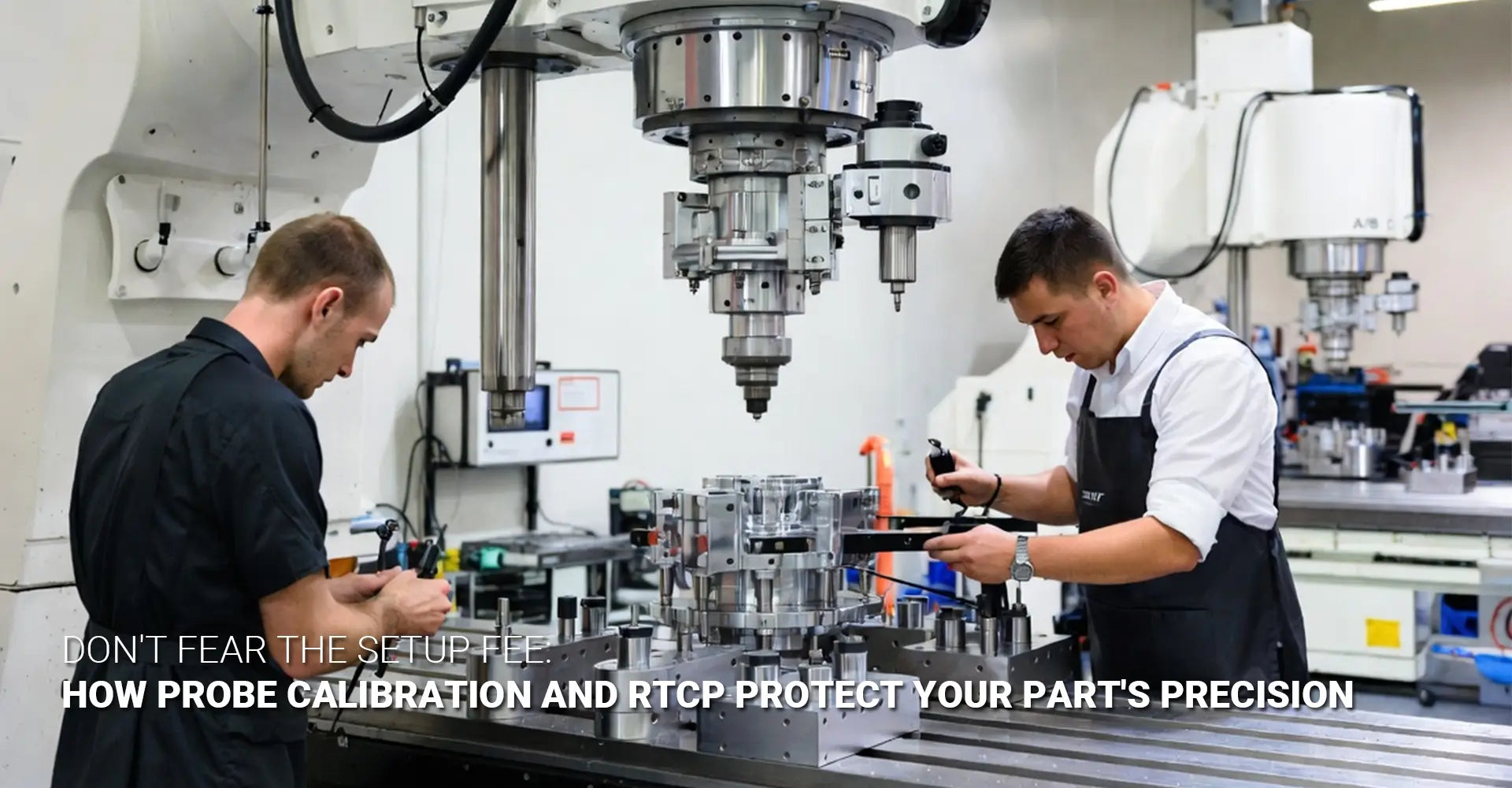
RTCP (Rotating Tool Center Point) is the CNC control function that compensates for this. It constantly recalculates tool tip position as the rotary axes move — keeping the programmed cutting point accurate regardless of angle. But RTCP only works correctly if the machine knows exactly where its rotary axes pivot.
That's what RTCP calibration is: the process of teaching the machine's control where its pivot points actually are in physical space.

Here's what RTCP calibration involves:
- A precision reference sphere is placed on the machine table
- The machine probes the sphere from multiple rotary angles
- The control software calculates the true pivot coordinates
- These coordinates are entered into the machine's kinematic model
- Verification cycles confirm the model matches physical reality
This is probe setup 5 axis work — and it cannot be rushed. A single error in the kinematic model will affect every cut at every angle for the entire job. The multi axis setup fee you're paying directly funds this process.
Where Do the Hours Actually Go in a 5-Axis Setup?
Let's get specific. Here is a transparent, step-by-step breakdown of where the time goes in a proper 5-axis setup — and why each step cannot be skipped.
Most buyers are surprised to learn that a complete 5-axis setup takes 5 to 10 hours of skilled labor. Here's the breakdown:
| Setup Step | Time Required | Purpose |
|---|---|---|
| Initial probing & rotary axis centerline mapping | 2–3 hours | Establishes true pivot coordinates |
| KinematicsOpt / dynamic accuracy verification | 1–2 hours | Confirms control model matches machine reality |
| Test cuts & dimensional measurement | 2+ hours | Validates that the process produces accurate parts |
| Documentation & machine tool certification | 30–60 minutes | Creates the traceability record for the job |
| Total | 5–10 hours | Complete setup verification |
Step 1 — Initial Probing Cycles: Mapping Rotary Axis Centerlines (2–3 Hours)
This is the foundation of everything. The machinist mounts a reference artifact (typically a precision sphere) on the table. The machine then probes this sphere at multiple rotary positions — typically at 0°, 90°, 180°, and 270° — and calculates where the rotary axes actually intersect. This data feeds directly into the kinematic calibration cost calculation and the machine's compensation model.
Step 2 — KinematicsOpt / Dynamic Accuracy Verification (1–2 Hours)
High-end 5-axis controls (Heidenhain, Siemens, Fanuc) include built-in kinematic optimization cycles. Heidenhain calls theirs "KinematicsOpt." These cycles run automated probing sequences, analyze the results, and update the machine's internal kinematic parameters. After the cycle runs, the operator verifies the residual error is within specification — typically less than 5 microns. If it's not, the cycle runs again.
Step 3 — Test Cuts and Measurement Verification (2+ Hours)
Calibration data alone isn't enough. A responsible shop cuts a test piece — often a reference artifact with features at multiple angles — and measures it on a CMM (coordinate measuring machine) or with a precision gauge. This confirms that the machine's theoretical accuracy translates to actual part accuracy. This step is what separates shops that verify from shops that hope.
Step 4 — Documentation and Certification (30–60 Minutes)
A professional shop documents every calibration result. This includes kinematic parameters, probing data, test cut measurements, and operator sign-off. This documentation is what enables machine tool certification — proof that the machine was in verified condition when your parts were made.
The "hidden" work: CAM programming and simulation.
Beyond machine time, there's significant engineering work in the office. 5-axis CAM programming is far more complex than 3-axis. Toolpaths must avoid collisions between the cutting tool, holder, machine head, and fixture at every rotary position. Simulation and collision checking are non-negotiable — a crash on a 5-axis machine can cause tens of thousands of dollars in damage. This engineering time is often included in the setup fee and is entirely legitimate.
For parts made from engineering plastics like PEEK or POM, 5-axis CAM programming adds another layer: material-specific feed/speed optimization across varying tool orientations.
What Do You Actually Get for That 5-Axis Setup Fee?
Let's reframe the question. Instead of "Why does setup cost so much?" ask: "What am I buying when I pay this fee?"
The answer is process certainty. You're buying proof that your parts will be accurate before machining starts — not hope that they'll be accurate after.
Here's what the setup fee purchases:
- ±0.01mm positional accuracy across multiple faces and angles — guaranteed by the verification process, not assumed
- A single fixture datum — meaning all features on your part reference the same zero point, eliminating cumulative tolerance errors between operations
- Elimination of secondary operations — complex parts that would require 4–6 setups on a 3-axis machine complete in one setup on a 5-axis machine
- Process documentation — so every repeat order starts from a verified baseline, not from scratch

The 5-axis vs 3-axis cost comparison — running the real numbers.
The 5 axis vs 3 axis cost comparison looks different when you calculate total cost per finished part — not just setup fees in isolation.
Consider a part that requires features on 5 faces:
| Cost Factor | 3-Axis Route | 5-Axis Route |
|---|---|---|
| Setup fee | Low (×5 setups) | High (×1 setup) |
| Machine time | Medium | Medium |
| Handling between setups | Significant | None |
| Cumulative tolerance risk | High | Eliminated |
| Rework / scrap risk | Present | Minimized |
| Total cost per part | Often higher | Often lower |
When you look at cost per part 5 axis across a full production run, the math frequently favors 5-axis — especially for complex geometry. The setup fee is high. The total manufacturing cost per finished part? Often lower.
CNC turning operations face a similar calculation — the upfront programming and setup investment pays back across the full production run.
When Does 5-Axis Setup Cost Make Sense — And When Does It Not?
5-axis machining is powerful. But it's not always the right answer. Here's a balanced framework for making the right call.
When 5-axis setup cost delivers clear value:
The investment pays off when your part has genuine complexity that would require multiple 3-axis setups. Specifically:
- Parts with features on 3 or more faces — each 3-axis re-setup introduces fixturing error and handling time
- Parts with compound angles — features that aren't parallel or perpendicular to any natural datum
- Parts with tight positional tolerances between features on different faces — impossible to guarantee across multiple 3-axis setups
- Parts where material is expensive — aerospace alloys, titanium, Inconel — where scrap is catastrophic
- High-value production runs — where setup cost amortizes across many parts
When 5-axis is overkill:
Not every part justifies 5-axis setup cost. Consider 3-axis when:
- Your part only has features on 1–2 parallel faces
- Tolerances are moderate (±0.1mm or looser)
- The part is a simple 2.5D profile — pockets, slots, contours on a flat plate
- Volume is very low (1–5 pieces) and complexity doesn't justify the setup investment
A practical rule of thumb:
If a skilled machinist can fixture your part twice on a 3-axis machine and hit your tolerances — do it on 3-axis. If they'd need 4+ setups, or if any feature requires simultaneous multi-axis motion — the 5-axis setup fee will pay for itself.
For industrial machinery components with complex housings and intersecting bores, 5-axis almost always wins on total cost. For simple brackets and plates, 3-axis is the right tool.
What Questions Should You Ask Your 5-Axis Supplier About Setup Fees?
Not all 5-axis shops deliver the same setup quality. The fee alone doesn't tell you whether a shop is doing the work correctly. The right questions will.
Here's how to evaluate a supplier's setup process before you commit:
6 essential questions to ask every 5-axis supplier:
- "What does your setup include?" — Look for: probe calibration, RTCP verification, test cuts, CMM measurement. If they can't describe it specifically, they may not be doing it.
- "How do you verify kinematic accuracy before running my parts?" — A good answer mentions specific cycles (KinematicsOpt, TCPC verification, or equivalent). A vague answer is a red flag.
- "Can you provide documentation of the calibration results?" — Professional shops document everything. If they won't or can't share calibration records, ask why.
- "Is this a per-part fee or per-order?" — For production runs, setup is typically charged once and amortized. Understand what you're being billed for.
- "How do you handle repeat orders — do you re-verify kinematics each time?" — Correct answer: yes, at minimum at job startup. Machines drift. Calibration from last month is not valid today.
- "What happens if a setup doesn't pass verification?" — A confident shop has a clear answer. They re-run calibration, re-cut the test piece, and don't start production until it passes.

Red flags that signal a shop is cutting corners:
- Setup fee is identical to their 3-axis setup fee
- They can't explain what RTCP calibration involves
- No documentation or certification offered
- Vague answers about how they verify rotary axis accuracy
- "We've been running this machine for years, it's always accurate" — (machines drift; this answer means they're not checking)
The goal of these questions isn't to trip up your supplier. It's to confirm that the setup fee you're paying reflects real, verifiable engineering work. A shop that's doing it right will welcome these questions — and answer them in detail.
FAQ
Q1: I got a quote and the setup fee is 5X what I pay for 3-axis. Is this normal, or am I being overcharged?
It's normal — and it reflects real work. A 3-axis setup takes 1–2 hours. A proper 5-axis setup includes rotary axis probing, RTCP verification, kinematic optimization, and test cuts — totaling 5–10 hours of skilled labor. The 5X difference is the reality of preparing a machine to cut accurately from multiple angles.
Q2: What is RTCP and why does it take so long to set up?
RTCP (Rotating Tool Center Point) is the control function that keeps the tool tip on the programmed point while rotary axes move. Without correctly calibrated RTCP, a 5-axis machine cuts elliptical holes and misaligned features. Setting it up involves probing reference spheres, running calibration cycles, and verifying that the machine's kinematic model matches physical reality. It's not a "turn it on" feature — it's a precision engineering process.
Q3: My part only needs 3+2 positioning, not full simultaneous 5-axis. Do I still need this expensive setup?
Yes. 3+2 (positional) machining still requires accurate rotary axis calibration. Even if you're not moving all axes simultaneously, the machine must know exactly where the rotary table is positioned at every angle. The same kinematic calibration is required. The setup cost for 3+2 is nearly identical to full simultaneous 5-axis.
Q4: Does the setup fee apply to every reorder, or just the first run?
It depends on the shop. Some re-verify everything each time (full setup fee). Some reduce the fee for repeat orders if fixturing is preserved. Many amortize the setup cost across the full production run — for example, $5,000 setup spread over 100 parts equals $50 per part. Always ask how setup is handled for repeat orders before you sign off on pricing.
Q5: How do I calculate whether the 5X setup fee is worth it for my part?
Compare total cost of ownership — not just setup fees. Add up all the 3-axis setups your part would require, plus handling time between setups, plus cumulative tolerance risk, plus potential rework. Then compare that to a single 5-axis setup with guaranteed alignment. For complex parts requiring 4+ operations on 3-axis, 5-axis typically wins on total cost per finished part — despite the higher upfront setup fee.
Conclusion
The 5-axis machining setup fee is one of the most misunderstood line items in manufacturing procurement. It looks expensive because it is expensive — but for completely legitimate reasons.
Here's what to remember:
- A proper 5-axis setup takes 5–10 hours of skilled engineering work. A 3-axis setup takes 1–2 hours. The fee difference reflects the labor difference.
- You're buying process certainty — proof that every rotary axis, every pivot point, and every kinematic parameter is verified before your material is touched.
- RTCP calibration and kinematic verification are not optional — they're the foundation of 5-axis accuracy. Shops that skip them produce parts with step errors and misaligned features.
- The total cost comparison often favors 5-axis for complex parts. Higher setup fee, lower total cost per finished part.
- Ask the right questions. A supplier that can clearly explain their setup process — and document it — is worth the fee. A supplier that can't is a risk, regardless of price.
The sophisticated buyer doesn't ask "Can you waive the setup fee?" They ask "What does your setup include?" That question separates the shops that verify from the shops that hope. Pay for verification. Your parts depend on it.
External Links Recommendation
[^3]. This technical article explains the Rotating Tool Center Point (RTCP ) function in simultaneous 5-axis machining, detailing how it maintains constant tool tip contact and the importance of automatic kinematic calibration for micron-level accuracy.
[^4]. This source provides an expert-led guide on 5-axis CNC best practices, specifically covering spindle probe calibration, measuring tool lengths, and setting up part fixtures to ensure precise multi-axis machining performance.
[^5]. This engineering guide from Janee Precision provides a detailed cost-benefit analysis between 3-axis and 5-axis CNC machining, explaining when the higher hourly rate of 5-axis is justified by reduced setups and improved accuracy for complex geometries.
[^6]. CNC Machines explores advanced strategies for reducing setup time in precision machining by up to 30%, highlighting the role of modular workholding, offline tool presetting, and digital twins in modern competitive manufacturing environments.